A free IPTV player for Apple TV.
Most tvOS players are paid, and the popular Android ones never came to Apple TV at all. RunTV runs natively on tvOS, plays your own M3U or Xtream Codes, and puts up to four channels on the screen at once.
Why Apple TV owners end up stuck
The best known IPTV players are Android only. TiviMate does not exist on tvOS, and several of the tvOS options are paid up front or hide the useful parts behind an unlock. That leaves Apple TV owners paying for an app to play a playlist they already pay for.
RunTV is free on tvOS. No ads, no subscription, no paid tier.




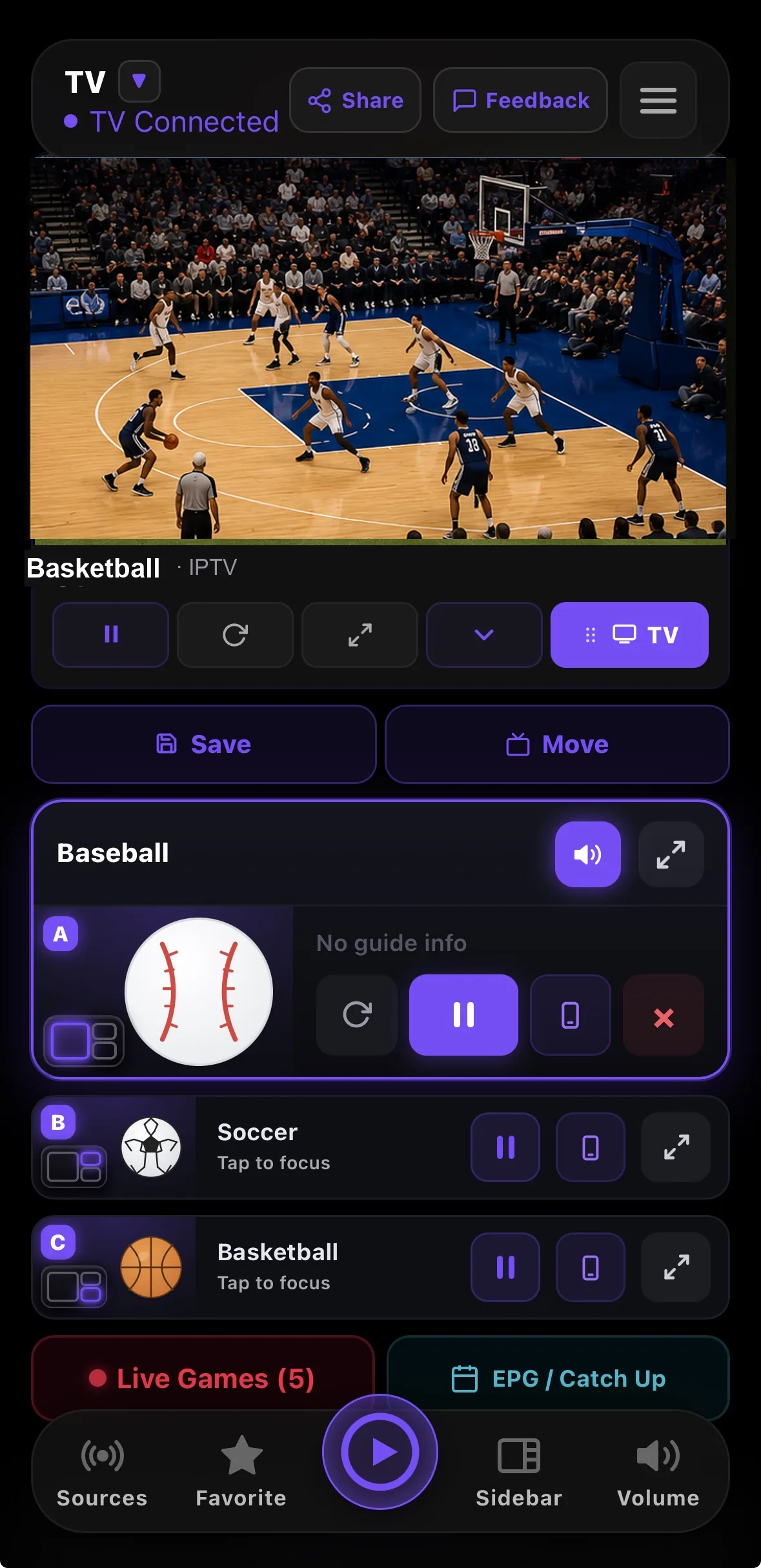
Four channels on one Apple TV
Pick any four channels from your own playlist and put them on screen together, across eight layouts including side by side, one plus two, picture in picture and a 2x2 grid. Tap a zone to move the audio to it. Your iPhone or iPad does the browsing and the layout switching, so you are not fighting the Siri Remote to search a thousand channel list.
What you get
- M3U, M3U8 and Xtream Codes, across HLS, DASH, MPEG-TS and MP4.
- Live Games, which matches each fixture to a channel inside your own playlist.
- Favorites and a guide that stay in sync with your phone when you sign in.
- Movies and series from your provider’s VOD, with resume.
Related
All downloads · Watch 4 at once · Connection limits · Xtream Codes · M3U playlists
How to install
- Open the App Store on your Apple TV. From the Apple TV home screen, open the App Store and search for RunTV.
- Install RunTV. Select Get to install it. It is free, with no in app purchase required to play your playlist.
- Open RunTV and note the pairing code. RunTV shows an 8 digit code and a QR code on the TV.
- Pair your phone. Open the RunTV app on your iPhone or iPad and enter that code, or scan the QR. This is a one time step.
- Add your playlist. On your phone, open Sources and paste your M3U URL or your Xtream Codes host, username and password. Your channels appear on the TV.