A free IPTV player built around one idea: your phone should do the browsing, and your TV should do the playing. Here is the full list, all of it free.
Four channels on one TV
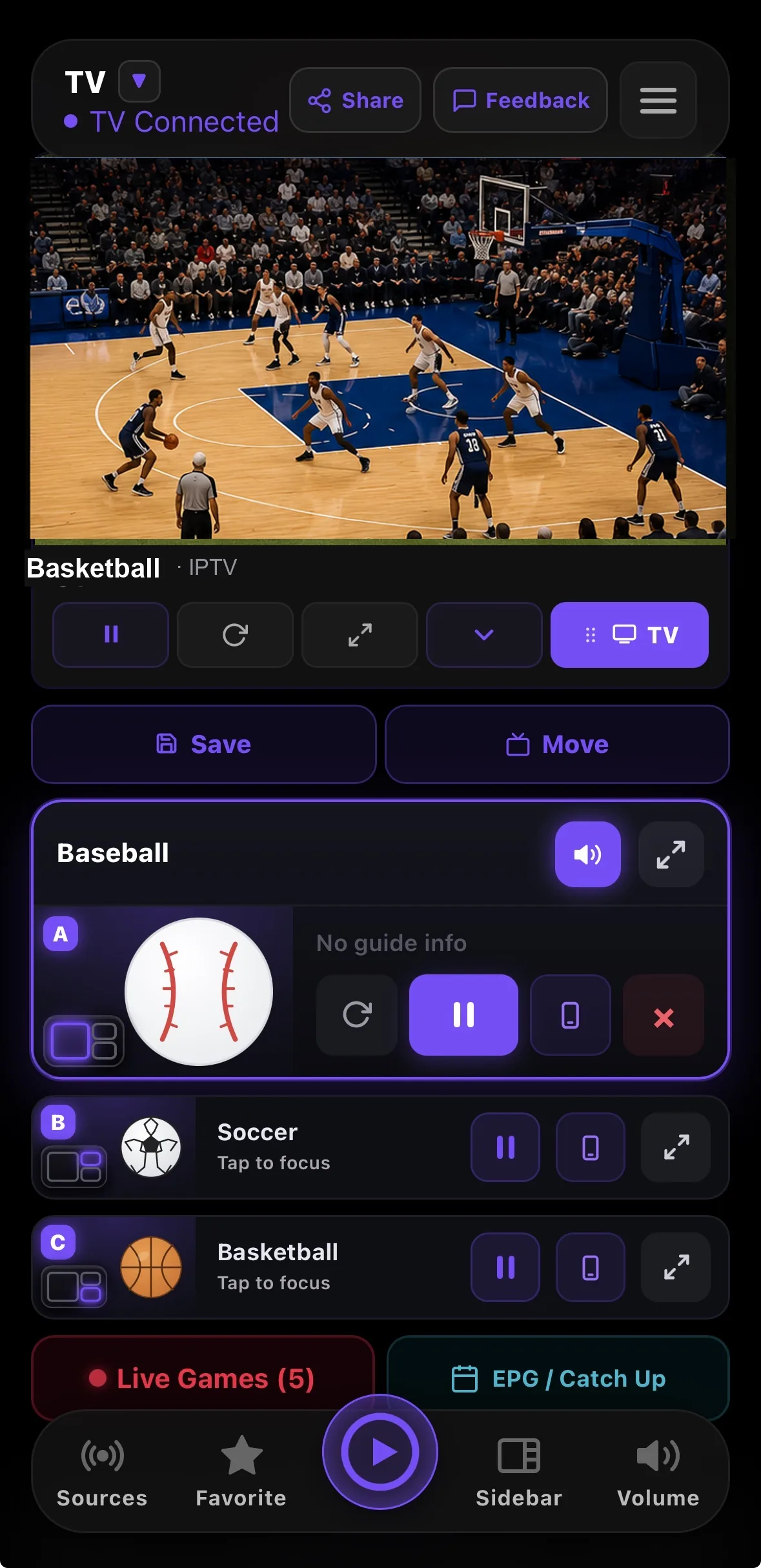
The feature most players do not have at all. Put up to four live channels on a single screen and switch between eight layouts: full screen, two side by side, one big plus two, a 2x2 grid, picture in picture and more. Tap any zone to move the audio to it, or drag one zone onto another to swap them.
Four live channels at once. The purple ring marks the one you are hearing.
Your phone is the remote
Browsing a thousand channel playlist with a directional pad is miserable, and typing an Xtream login on an on screen keyboard is worse. RunTV moves all of that to your phone. Start a channel there, tap once and the TV picks it up, then pull it back to the phone when you leave.
This is not screen mirroring. The TV fetches the stream itself, so your phone can lock, ring or leave the house without interrupting playback.
Browse on the phone. The TV just plays.
Live Games
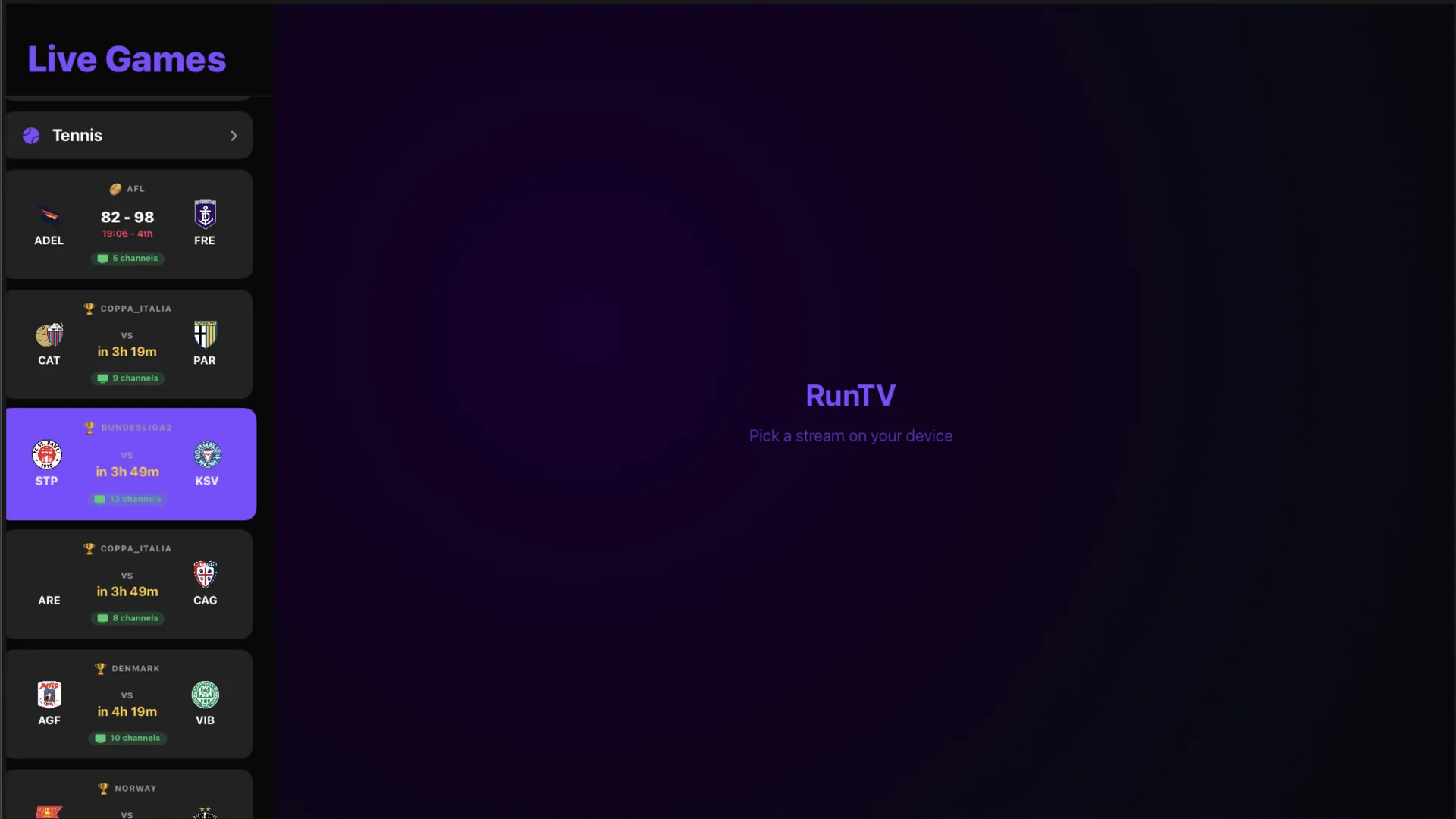
Open Live Games and every fixture is listed with scores and kickoff times, each matched to the channels inside your own playlist that carry it. Tap one and it plays. No hunting through a channel list while a match is going on.
Live Games, matched to channels in your own playlist.
The rest of it
Several Xtream logins, one playlist
Own more than one login? Add them all. RunTV spreads your streams across them and stays inside each account’s own limit, so a busy login never stops you.
Movies and series
Your provider’s VOD, with artwork, descriptions, subtitles and resume where you left off.
EPG guide and catch up
A full programme guide, and catch up on providers that offer an archive.
Favorites that follow you
Star a channel on your phone and it is there on the TV. Sign in and it syncs across every device.
Several TVs, one phone
Pair as many TVs as you like and choose which one you are driving.
M3U and Xtream Codes
M3U, M3U8 and Xtream Codes, across HLS, DASH, MPEG-TS and MP4.
Eight platforms
Apple TV, Android TV including Fire Stick, Shield and Google TV, plus iPhone, iPad, Android phone and tablet, Mac and Windows.
Free, with no ads
No ads anywhere, no subscription, no paid tier, nothing behind an unlock.
What RunTV is not
RunTV is a media player, in the same sense as VLC. It does not provide, host, resell or aggregate channels, and it ships with no content of its own. Everything you watch comes from the M3U playlist or provider login that you supply.
Watch the features
Short videos, under a minute each. Tap one to play it.
Change the TV layoutPick a layout under your screens, like one big and three small, and the TV follows.
Use subtitles, audio and the seek barOpen the screen card to seek, skip 15s, 1m or 5m, and change the picture fit, subtitles, audio language and quality.
The main one is multiview: up to four live channels on one TV across eight layouts, with your phone as the remote. It also pools several of your own Xtream logins into one playlist, matches live fixtures to channels in your playlist, and runs on Apple TV, Android TV, iPhone, iPad, Android, Mac and Windows.
Is every feature free?
Yes. There is no paid tier, no ads and no subscription. Nothing is locked behind an unlock.
Does RunTV provide channels?
No. RunTV is a media player, like VLC. It does not provide, host, resell or aggregate any content. You supply your own M3U playlist or Xtream Codes login.
Which formats and protocols are supported?
M3U and M3U8 playlists and Xtream Codes logins, across HLS, DASH, MPEG-TS and MP4, plus your provider’s VOD for movies and series.
Do my favorites sync between devices?
Yes, when you sign in. Favorites and paired TVs follow you across your phone, tablet, TV and desktop.