Home › Download
Download RunTV, free on every screen you own
One IPTV player for Apple TV, Android TV, iPhone, iPad, Android phone and tablet, Mac and Windows. No ads, no subscription. Bring your own M3U playlist or Xtream Codes login.
Apple TV
App Store
tvOS. Up to 4 streams on one screen, controlled from your phone.
Android TV
Google Play
Also Fire TV Stick, Nvidia Shield and Google TV.
iPhone & iPad
App Store
Watch on the phone, or use it as the remote for your TV.
Android phone & tablet
Google Play
Watch on the phone, or use it as the remote for your TV.
Mac
Mac App Store
Apple silicon and Intel.
Mac
Universal .dmg
Direct download if you prefer not to use the store.
Windows
.exe installer
Windows 10 and 11.
Which one do I need?
Most people install two: the TV app on the screen they watch on, and the phone app on the device they control it with. The phone app is a full player on its own, so it works fine by itself too.




One app, every screen you own.
The TV app: favorites, guide, live games and movies, on the big screen.
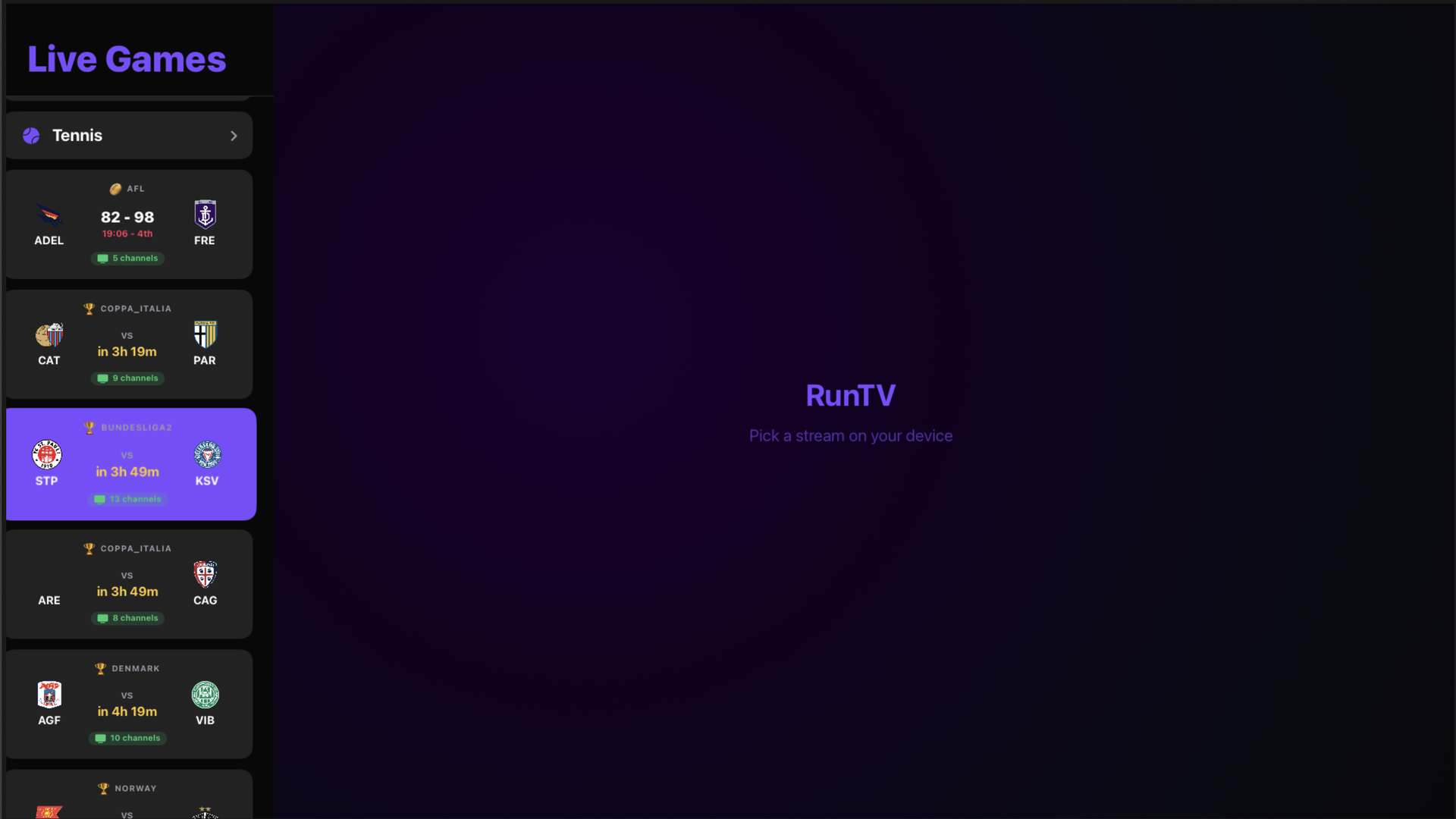
Live Games matches each match to a channel in your own playlist.
What you get, free
- Up to 4 channels at once on one TV, across 8 layouts including split screen, picture in picture and a 2x2 grid.
- Your phone is the remote. Watch on the phone, send it to the TV with one tap, drag streams between zones.
- Several Xtream logins in one playlist. RunTV spreads your streams across your own logins, always within each account's own limit.
- No ads, no subscription, no account required to watch your own playlist.
Frequently asked
Which RunTV app do I need?
Install the TV app on the screen you watch on, and the phone app on the device you want to control it with. The phone app also plays on the phone itself.
Is RunTV really free?
Yes. Every platform, no ads and no subscription. You supply your own M3U playlist or Xtream Codes login from your IPTV provider.
Does RunTV include channels?
No. RunTV is a media player, like VLC. It does not provide, host or resell any channels or content.
Can I use it on more than one device?
Yes, on as many of your own devices as you like. Favorites and paired TVs sync when you sign in.